
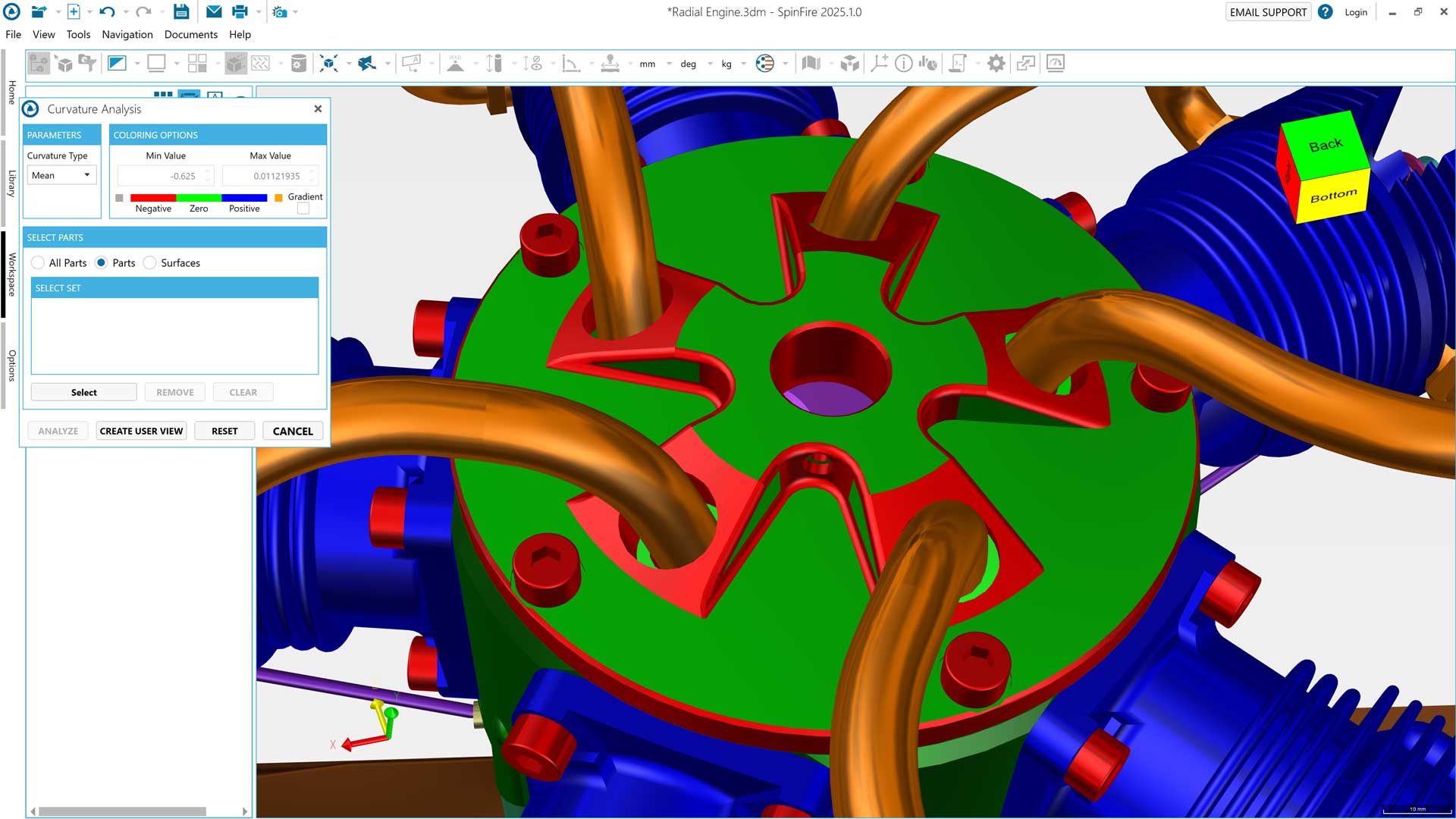
The SpinFire Insight 2025.3.0 release arrives with improvements highly focused on real-world enterprise use: opening CAD with greater control, ensuring fidelity in complex assemblies, and speeding up measurement and analysis tasks without friction. It also expands compatibility with key industry formats and refines the user experience so configuring and measuring becomes faster and more consistent.
SpinFire thus strengthens its role as an enterprise viewer and analyzer for those who need to consult 3D/2D models daily without being CAD users, complementing design and product-management environments.
Enhanced compatibility with CATIA and SOLIDWORKS: key for Dassault environments
SpinFire remains especially valuable in organizations working with Dassault technology because it enables the visualization and analysis of CATIA and SOLIDWORKS models. It is a practical way to extend CAD access to teams that need to consult information but do not need to edit it.
Specifically, SpinFire maintains compatibility with:
-
CATIA V4 and CATIA V5, including parts, assemblies, and 2D drawings.
-
CATIA 3DEXPERIENCE, making it easier to review and consult models published from that environment.
-
SOLIDWORKS, for both parts and assemblies, so departments such as quality, purchasing, or production can work with real geometry without relying on the native CAD system.
With this, SpinFire acts as a lightweight and cross-functional access layer to the model, while CATIA and 3DEXPERIENCE remain the environments for product authoring and governance.
Expanded compatibility with other key engineering formats
The 2025.3.0 release expands support for very recent and widely used industry versions:
-
Creo 12
-
NX up to NX2506 (3D and 2D)
-
Parasolid 38
This facilitates collaboration with multi-CAD customers and suppliers and reduces intermediate conversion steps.
CAD import with more control: improved presets and selection on opening
One of the most relevant changes in this version is the import workflow, designed so each user can choose the right balance between detail, fidelity, and performance.
4 import presets
SpinFire goes from three to four import presets, tuned so the options are clearer depending on file type and task:
-
quick review,
-
detailed analysis,
-
work with large assemblies,
-
or a balance between performance and accuracy.
This greatly speeds up work when handling very heavy models or switching between different use cases.
New dialog to choose a preset when opening a file
When opening a CAD file, a dialog appears that allows selecting a specific preset just for that session, without modifying the global configuration.
It’s ideal for companies where multiple workflows coexist: quick estimation, technical review, quality, manufacturing preparation, etc.
Smarter Drag & Drop: prevents accidental imports
When dragging a file onto an already open document, SpinFire now asks for confirmation:
-
open the file in a new workspace,
-
or import it into the current workspace.
This prevents unintended data mixing and allows setting a default behavior for future actions.
Faster and more consistent analysis and measurement tools
SpinFire continues strengthening its practical focus: powerful tools that are also easy to use for non-CAD profiles.
Improved Draft Angle Analysis
Draft angle analysis now includes:
-
more accurate default values,
-
more logical increments,
-
clearer tooltips.
This reduces setup time and improves result interpretation.
Finer snapping when creating dimensions
When dimensioning, selecting the exact point is now easier:
-
endpoints,
-
midpoints,
-
centers on linear or circular edges.
Measurements become faster and more precise with less effort.
Cleaner configuration layout
Settings panels are reorganized to be clearer and more consistent with CAD importers.
The Advanced Tessellation dialog is also presented more logically, making advanced adjustments easier when working with non-standard meshes.
Important system change: Windows 10 is no longer supported
Enhanced stability
This version includes fixes that improve reliability in common tasks:
-
a crash when creating a Section Cut after importing files has been resolved,
-
an error when exporting multiple models without a defined path has been corrected.
Fewer interruptions in repetitive workflows.
Conclusion: SpinFire 2025 improves what delivers the most value
SpinFire version 2025.3.0 is not a cosmetic update: it is a direct improvement to daily work:
-
more control when importing CAD,
-
better compatibility in CATIA and SOLIDWORKS environments,
-
expanded support for NX/Creo/Parasolid,
-
greater fidelity in complex assemblies,
-
simpler and more precise measurement,
-
and overall improved stability.
All with a clear goal: making CAD review fast, secure, and accessible across the entire company, without relying on full CAD licenses for tasks that don’t require them.
Do you want to see these improvements applied to your actual CAD models?
Get in touch with CADTECH and discover how SpinFire can speed up your reviews and improve collaboration in your company.
CADTECH Communications Department
comunicacion@cadtech.es – 800 007 177