
DraftSight is a computer-aided design (CAD) software that allows architects, engineers, designers, and hobbyists to create, edit, and visualize 2D and 3D drawings.
DraftSight
2D and 3D CAD solution for design professionals
Developed by Dassault Systèmes, DraftSight offers an intuitive interface and advanced tools to meet design and technical documentation needs.
Main uses of DraftSight
Architectural design
Development of detailed blueprints for construction and renovation projects.
Mechanical engineering
Creation of mechanical parts and assemblies, including precise technical documentation.
Industrial design
Development of products and components with precision and efficiency.
Education and training
An ideal tool for students and teachers in disciplines related to design and engineering.
Benefits of using DraftSight
Familiar interface
Designed to make the transition from other CAD programs easier, with similar commands and functionalities.
File compatibility
Supports DWG, DXF, and DGN formats, enabling easy collaboration and file sharing.
Advanced tools
It includes features such as PDF import, batch printing, and parametric constraints to optimize workflow.
Integration with SOLIDWORKS
It integrates seamlessly with SOLIDWORKS and other Dassault Systèmes solutions, facilitating collaboration and data management.
Flexible licensing
Offers licensing options tailored to different needs and budgets, including network licenses and full technical support.
DraftSight: Design and technical documentation without limits
DraftSight is presented as a powerful and cost-effective alternative for professionals and companies seeking a complete and efficient CAD solution. Its ability to handle both 2D and 3D designs, along with its compatibility and flexibility, makes it an essential tool in the field of computer-aided design.
Discover how DraftSight can transform your design and technical documentation process. Contact us for more information.
News and trends around DraftSight

Shipyards 4.0: digitizing processes to build safer and more efficient vessels
Shipbuilding is undergoing a period of profound transformation. Customers are demanding more sustainable, safer, and more complex vessels, while shipyards must deliver projects within increasingly tight deadlines and reduced margins. In this context, modernizing...
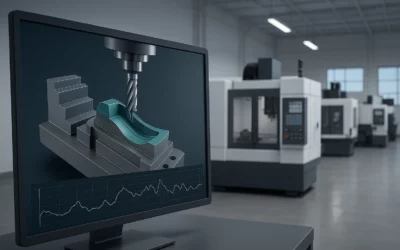
Machining smarter, not harder: how to extend tool life without sacrificing productivity
In CNC machining, the pressure to increase productivity often leads to using increasingly aggressive cutting parameters. In the short term it may seem like a solution, but the result is often the opposite: accelerated tool wear, higher risk of breakage, and unstable...
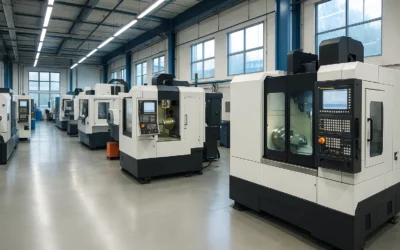
From CAD/CAM to the shop floor: how to ensure surprise-free machining
The transition from design to the shop floor is undoubtedly one of the most critical moments in any machining process. What looks perfect on the CAD/CAM software screen can turn into a headache once it reaches the physical machine.The problem: the virtual doesn’t...