
DraftSight is a computer-aided design (CAD) software that allows architects, engineers, designers, and hobbyists to create, edit, and visualize 2D and 3D drawings.
DraftSight
2D and 3D CAD solution for design professionals
Developed by Dassault Systèmes, DraftSight offers an intuitive interface and advanced tools to meet design and technical documentation needs.
Main uses of DraftSight
Architectural design
Development of detailed blueprints for construction and renovation projects.
Mechanical engineering
Creation of mechanical parts and assemblies, including precise technical documentation.
Industrial design
Development of products and components with precision and efficiency.
Education and training
An ideal tool for students and teachers in disciplines related to design and engineering.
Benefits of using DraftSight
Familiar interface
Designed to make the transition from other CAD programs easier, with similar commands and functionalities.
File compatibility
Supports DWG, DXF, and DGN formats, enabling easy collaboration and file sharing.
Advanced tools
It includes features such as PDF import, batch printing, and parametric constraints to optimize workflow.
Integration with SOLIDWORKS
It integrates seamlessly with SOLIDWORKS and other Dassault Systèmes solutions, facilitating collaboration and data management.
Flexible licensing
Offers licensing options tailored to different needs and budgets, including network licenses and full technical support.
DraftSight: Design and technical documentation without limits
DraftSight is presented as a powerful and cost-effective alternative for professionals and companies seeking a complete and efficient CAD solution. Its ability to handle both 2D and 3D designs, along with its compatibility and flexibility, makes it an essential tool in the field of computer-aided design.
Discover how DraftSight can transform your design and technical documentation process. Contact us for more information.
News and trends around DraftSight
CATIA 2026X: the definitive leap toward generative engineering
Generative AI, Virtual Twin, and intelligent automation to accelerate design, engineering, and manufacturing.Introduction CATIA 2026X marks a turning point in the way industrial products are designed and developed. Generative engineering, artificial intelligence, and...
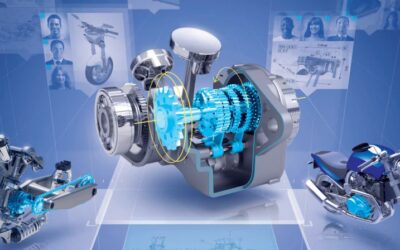
10 Advantages of CATIA 3DEXPERIENCE for Mechanical Engineers
CATIA 3DEXPERIENCE ofrece a los ingenieros mecánicos las capacidades que marcan la diferencia: diseño avanzado, simulación integrada y colaboración en tiempo real. Descubre las 10 claves que impulsan su ventaja competitiva.

How major railway OEMs are using 3DEXPERIENCE to transform their value chain
Real cases of Alstom and CAF and the key learnings for their suppliers Digitalization is no longer optional in the railway sector. The pressure to manage thousands of requirements, accelerate certifications, industrialize in multiple countries, and maintain...