
DraftSight is a computer-aided design (CAD) software that allows architects, engineers, designers, and hobbyists to create, edit, and visualize 2D and 3D drawings.
DraftSight
2D and 3D CAD solution for design professionals
Developed by Dassault Systèmes, DraftSight offers an intuitive interface and advanced tools to meet design and technical documentation needs.
Main uses of DraftSight
Architectural design
Development of detailed blueprints for construction and renovation projects.
Mechanical engineering
Creation of mechanical parts and assemblies, including precise technical documentation.
Industrial design
Development of products and components with precision and efficiency.
Education and training
An ideal tool for students and teachers in disciplines related to design and engineering.
Benefits of using DraftSight
Familiar interface
Designed to make the transition from other CAD programs easier, with similar commands and functionalities.
File compatibility
Supports DWG, DXF, and DGN formats, enabling easy collaboration and file sharing.
Advanced tools
It includes features such as PDF import, batch printing, and parametric constraints to optimize workflow.
Integration with SOLIDWORKS
It integrates seamlessly with SOLIDWORKS and other Dassault Systèmes solutions, facilitating collaboration and data management.
Flexible licensing
Offers licensing options tailored to different needs and budgets, including network licenses and full technical support.
DraftSight: Design and technical documentation without limits
DraftSight is presented as a powerful and cost-effective alternative for professionals and companies seeking a complete and efficient CAD solution. Its ability to handle both 2D and 3D designs, along with its compatibility and flexibility, makes it an essential tool in the field of computer-aided design.
Discover how DraftSight can transform your design and technical documentation process. Contact us for more information.
News and trends around DraftSight
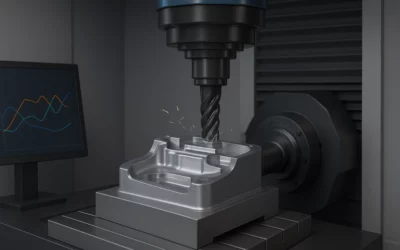
From hours lost to minutes gained: autonomous optimization with VERICUT Optimizer
In CNC machining, every minute counts. Deadlines are tighter, pressure to reduce costs is increasing, and quality requirements leave no room for error. In this context, reducing cycle times without compromising quality or safety has become one of the industry’s major...
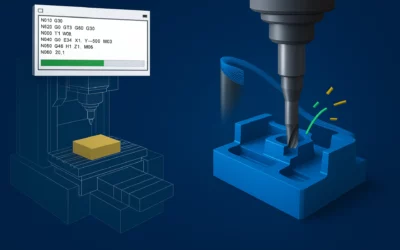
How to avoid costly CNC machining errors: the advantage of simulating before cutting
In CNC machining, every error comes at a high cost. A simple tool collision, an incorrect toolpath, or a poorly adjusted calculation can result not only in material waste, but also in machine damage, production delays, and unexpected costs that directly impact shop...
FAQ about the 3DEXPERIENCE platform
Discover everything 3DEXPERIENCE can do for your company. The 3DEXPERIENCE platform connects people, data, and processes in a single environment so your projects move faster, with fewer errors and greater innovation. Here you’ll find clear answers to the most common...